
Views: 0 Author: Nursen Publish Time: 2025-12-05 Origin: https://www.luphitouch.com


In design, user experience (UX) is one of the core factors that determine the success of a product. When integrating touch buttons with cooktop switches, it is necessary to optimize the user experience from multiple dimensions such as operational logic, tactile feedback, visual guidance, environmental adaptability, and personalized needs. The following is a specific analysis:
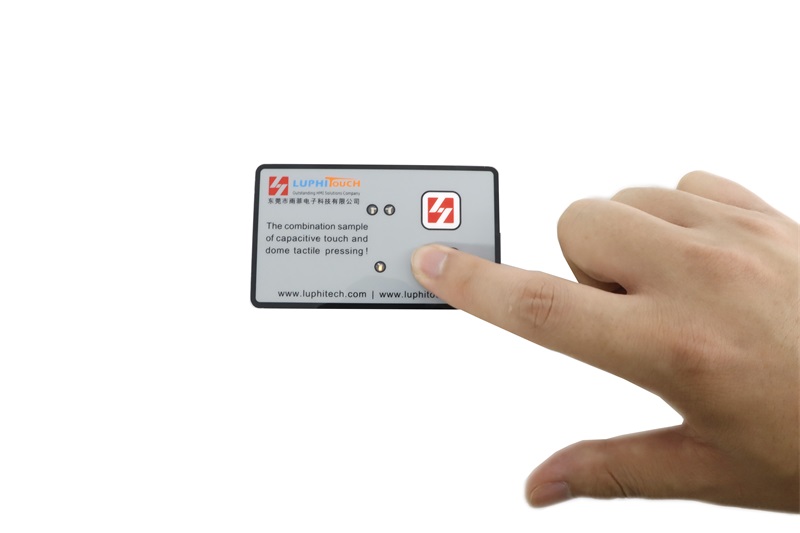
1、 Clear division of labor
Question: If the touch and dial pad functions overlap (e.g., both used for volume adjustment), users may confuse the operation methods, leading to failed operations or reduced efficiency.
Solution:
Differentiated Function: Touch for fine operations (e.g., sliding to continuously adjust volume), and knob for quick switching (e.g., short press for mute, long press for switching audio sources).
Scenario-based Design: Allocate functions based on usage scenarios (e.g., in the car scenario, touch is used for navigation operations, while knob is used for emergency calls).
Example: In the design of smart speakers, the touch area supports sliding to change songs, and the knob button is used for quick pause/play, avoiding user misoperation.
2、Simplify the operating path
Issue: Complex operation processes (such as the need to touch and press simultaneously) increase the user's learning cost and reduce the willingness to use.
Solution:
One-handed operation optimization: Assign high-frequency functions (such as power on/off, back) to the crown (single-finger press) and low-frequency functions (like settings adjustments) to touch (multi-finger slide).
Quick gestures: Design combined gestures in the touch area (e.g. double tap to wake up, long press to enter menu) to reduce operation steps.
Example: In smartwatch design, the crown is used for quickly returning to the main interface, while the touch screen is used for sliding between apps, enhancing one-handed operation efficiency.
1、Feedback Type Matching Feature
Issue: Touch buttons lack physical feedback, while the button on the pan has clear feedback. If the feedback style does not match the function, users may experience confusion when operating.
Solution:
Physical Feedback Simulation: Integrate a linear motor (such as LRA) into the touch button to simulate the pressing sensation through vibration (e.g., short vibrations for confirmation and long vibrations for errors).
Differentiated Audio Feedback: Add a gentle key sound (like a "beep") for touch operations, while retaining the crisp "click" sound for toggle button operations, creating an auditory distinction.
Example: In the design of virtual buttons on mobile phones, the vibration feedback for the touch return key is gentle, while the press feedback for the physical power key (toggle button) is more pronounced, helping users differentiate between operation types.
2、Feedback Intensity and Environmental Adaptation
Question: In noisy environments, audio feedback may be obscured, and vibration feedback may seem abrupt in quiet scenarios.
Solution:
Adaptive Feedback: Detects the ambient noise level through sensors, automatically adjusting sound feedback volume or switching to vibration mode. User Customization: Allows users to adjust feedback intensity (e.g., weak/medium/strong vibrations) in settings to adapt to different usage scenarios.
Example: In an in-vehicle navigation system, when the vehicle speed exceeds a threshold, automatically turn off sound feedback and retain only vibration alerts to avoid distractions while driving.
1、The operation area is clearly marked
Issue: If the touch and pan control buttons are not clearly labeled, users may make mistakes or need to try repeatedly.
Solution:
Icon/Text Labeling: Identify functions within the touch area using icons (e.g., "+"/"-") or text (e.g., "Volume"), and symbols can be engraved on membrane keys (such as power symbols).
Backlight/Indicator Light: Add backlighting (like RGB lighting effects) to touch keys, and design indicator lights around membrane keys (such as breathing lights) to guide operation in low-light environments.
Example: In gamepad designs, the touch area of the joystick is made translucent with a semi-transparent material for backlighting, while membrane keys (like shoulder buttons) are highlighted with red backlighting to enhance operational recognition.
2、Visual Unification of Interface and Hardware
Question: If the software interface and hardware design styles are disjointed, it will reduce the overall texture of the product.
Solution:
Design language consistency: Ensure that the interaction logic of touch buttons (e.g., swipe direction) is consistent with the software interface (e.g., APP menu) to reduce user cognitive load.
Material and color coordination: The material of the touch area coverage (e.g., glass, plastic) and the material of the button (e.g., metal, silicone) create contrast or echo in terms of tactile and visual aspects.
Example: In the design of a smart home control panel, the touch screen uses black glass material, while the button (such as the emergency button) adopts red metal material, forming a visual focus.
1、 Adaptation to Multiple Scenarios
Question: The differences in operational requirements for various scenarios (such as outdoor, underwater, low-temperature) are significant, and it is necessary to ensure that the design remains functional across all environments.
Solution:
Glove Operation Support: By enlarging the touch button area or adopting capacitive touch technology, it supports operation with gloves on; the pot-shaped buttons are designed with a raised structure for easy blind operation.
Waterproof and Dustproof Design: The touch area uses a hydrophobic coating, and the pot-shaped buttons achieve IP68 waterproof rating through sealed structures (such as silicone sleeves), adapting to outdoor or industrial scenarios.
Example: In the design of sports watches, the touch screen supports wet hand operation, and the pot-shaped buttons (like start/stop keys) are designed with raised structures for precise pressing even during intense exercise.
2、Accessible Design
Question: Special user groups (such as visually impaired, hearing impaired, and those with hand disabilities) may have difficulty using traditional methods of operation.
Solution:
Voice feedback: Add voice prompts for touch operations (e.g., "Volume set to 50%"), and differentiate functions on the pot sticker keypad using different vibration modes (e.g., short vibrations indicate confirmation, long vibrations indicate cancellation).
Large button design: Increase the size of the pot sticker keypad buttons (e.g., diameter ≥ 10mm), reduce the requirement for precise operation; the touch area supports multi-touch, accommodating users with trembling hands.
Example: In hearing aid design, the touch area adjusts volume through large-area sliding, and pot sticker keypad buttons (such as program switching keys) adopt large-size raised designs for easy use by elderly people.
1、User-defined features
Question: Fixed function allocation may not meet the needs of all users, personalized options need to be provided.
Solution:
Function Mapping: Allows users to customize the functions of touch or D-pad keys through software as common operations (such as setting a long press on the touchpad to take screenshots and double-clicking the D-pad to activate voice assistants).
Feedback Preference Settings: Provides various haptic feedback modes (e.g., "gentle," "intense," "rhythmic") and sound feedback effects (e.g., "futuristic," "natural sounds") for users to choose from.
Example: In gaming mouse design, users can customize the scrolling speed of the touch wheel and the macro function of side buttons on the D-pad through driver software to adapt to different gaming needs.
2、Emotionalized Interaction Details
Question: Cold, mechanical operations may reduce users' emotional identification and require strengthening of emotional connections through detailed design.
Solution:
Animation/Audio Feedback: Trigger interface animations (such as button bouncing, water ripple effects) when touching the interface during operation, and play realistic audio effects (such as mechanical switch sounds) when pressing the knob buttons.
Themed Design: Provide multiple sets of interface themes (such as dark mode, cartoon mode), with touch key backlight colors synchronizing with the theme, and knob button material (such as metal, wood) matching the theme style.
Example: In the design of a smart speaker, when adjusting volume by touching the top, the ring light strip flows with the change in volume, and a "ding" sound is played when pressing the knob button, creating a sense of technology and fun.
The design of integrated touch buttons and pan control switches needs to be user-centered, optimizing the experience from five dimensions: operational logic, haptic feedback, visual guidance, environmental adaptability, and personalized needs. The specific suggestions are as follows:
1、User Research Comes First: Understand the core needs and pain points of target users through questionnaires, interviews, and usability tests (such as frequent operations and environmental constraints).
2、Rapid Prototyping Iteration: Create low-fidelity prototypes, such as cardboard models, and high-fidelity prototypes, like 3D printing combined with embedded systems, to quickly validate the feasibility of designs.
3、Interdisciplinary Collaboration: Jointly working with industrial design, interaction design, and hardware engineering teams to ensure seamless integration of hardware form, software logic, and user experience.
4、Continuous optimization: Iterative design based on user feedback (such as NPS scores, operation logs), for example, adjusting feedback intensity or adding new features through OTA updates.
By systematically integrating user experience design, an integrated solution can be achieved that combines "intuitive operation + comfortable feedback + emotional resonance," thereby enhancing product competitiveness and user loyalty.


